Free surgery consent forms, ready in minutes
Turn surgical complexity into meaningful consent discussion and clarity of documentation.
Create a clear, procedure-specific consent for each patient. The benefits and risks for every procedure come from a growing library, and your patient can sign on screen, on paper or remotely by email.
- Free to register and free to use
- No patient details are kept after the consent is made
- Built in Australia for surgeons and their patients
A Smarter Way to Create and Discuss Surgical Consent
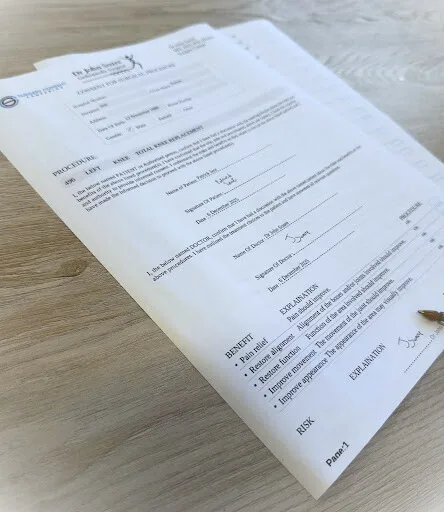
Surgery Consent Companion is designed to make the consent process clearer, more consistent, and easier to document for both surgeons and their patients. With SCC, surgeons can quickly generate customised, procedure-specific consent forms that guide a thorough and structured consent conversation.
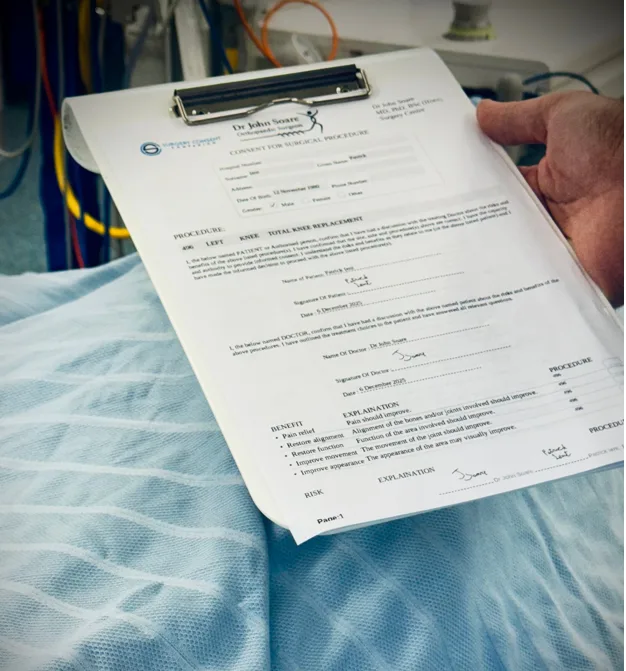
Clear, Printable Consent for WHO Check-lists and Time-outs
Once a consent form is finalised, it can be printed or digitally signed. Forms clearly display the planned procedure, operative site, and laterality, making them ideal for use during the WHO Surgical Safety Checklist and time-out.
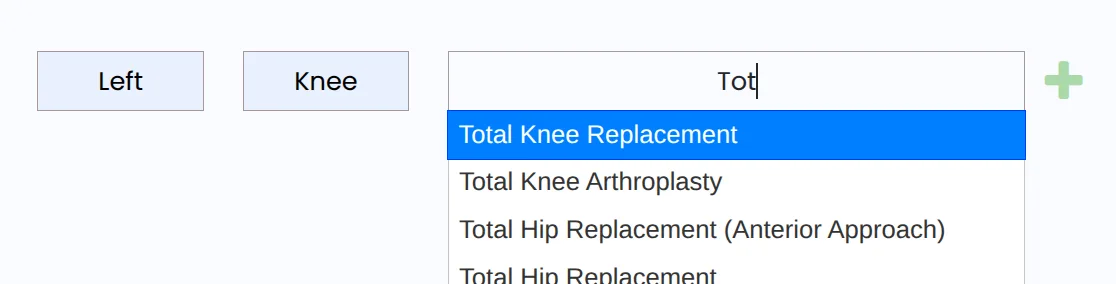
Choose or Add Procedures With Ease
Search from a growing database of specialty-specific procedures, or add a new one unique to your practice. Your recent procedures are always one click away.
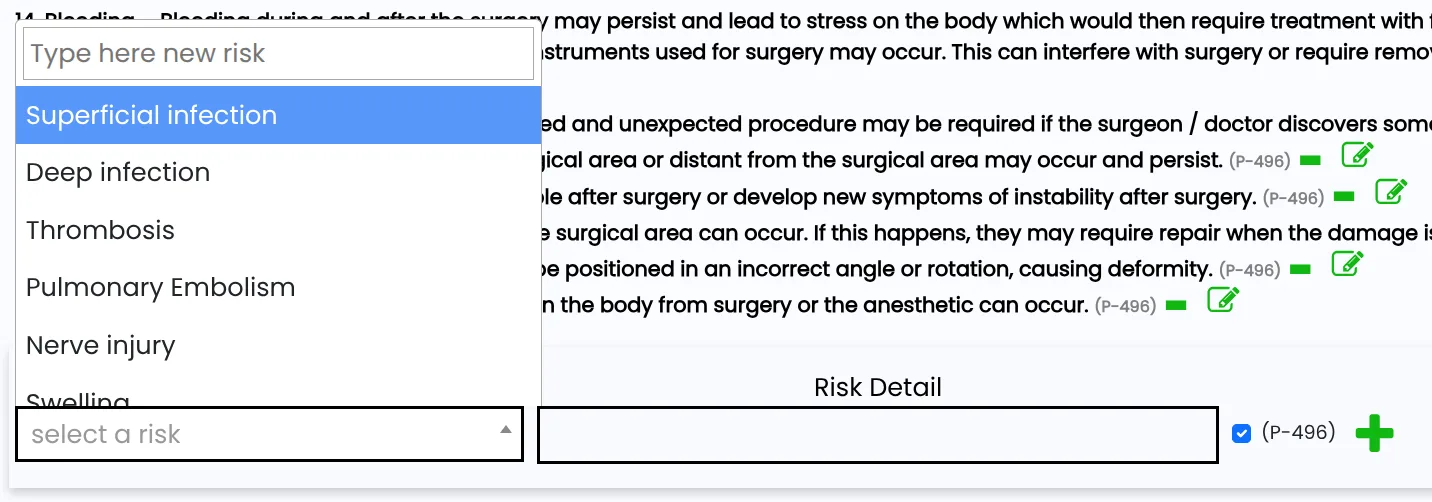
Procedure-Specific Risks and Benefits - Automatically Organised
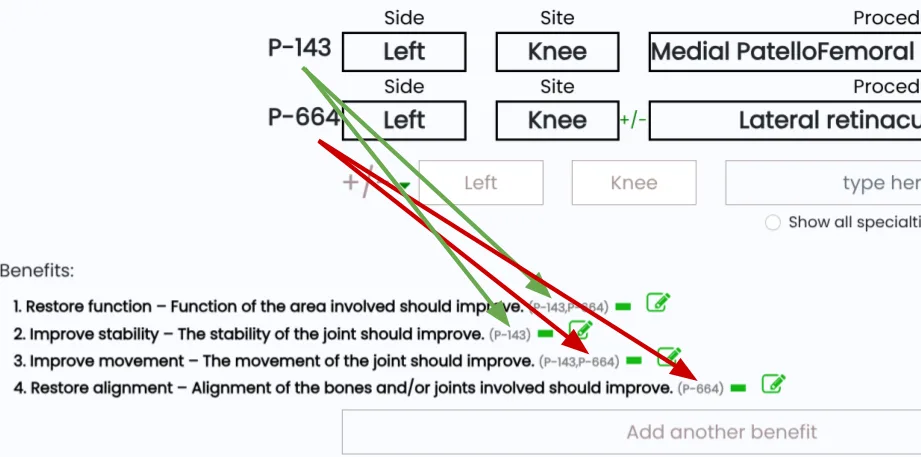
Each procedure includes a curated list of risks and benefits. If multiple procedures are combined into a single operation, SCC automatically groups and organises shared or overlapping risks to create a clean, easy-to-follow consent document.
Built for Complex Surgical Plans
For operations involving multiple components, SCC “stacks” procedures together, linking risks and benefits in a structured, readable format that improves clarity for both surgeon and patient.
Refine and Expand the Database
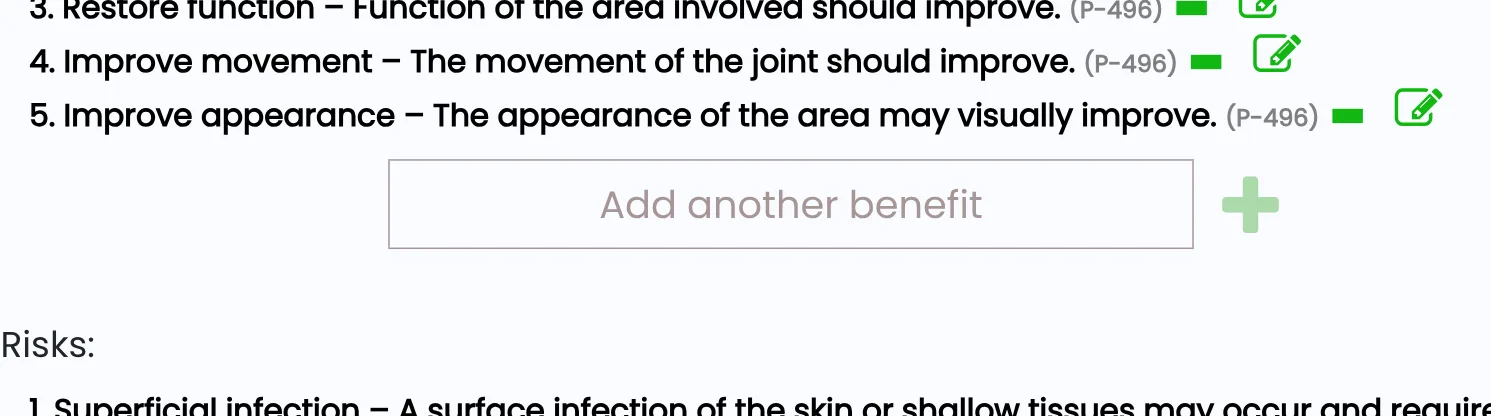
If a surgeon feels that a risk or benefit is missing or needs adjusting, they can add or change items directly while making the consent. Changes are ready for that surgeon's own consents straight away, and new entries join the shared database once reviewed and approved, to maintain clinical quality and accuracy.
Personalise Your Consents
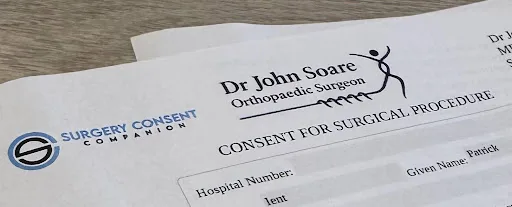
Upload your own practice or institutional logo to generate professional-looking forms aligned with your brand. With SCC Plus, add your practice's and hospital's letterheads too, choose one for each consent, and show them at the top of your consent page.
Digital or Paper Signing Options
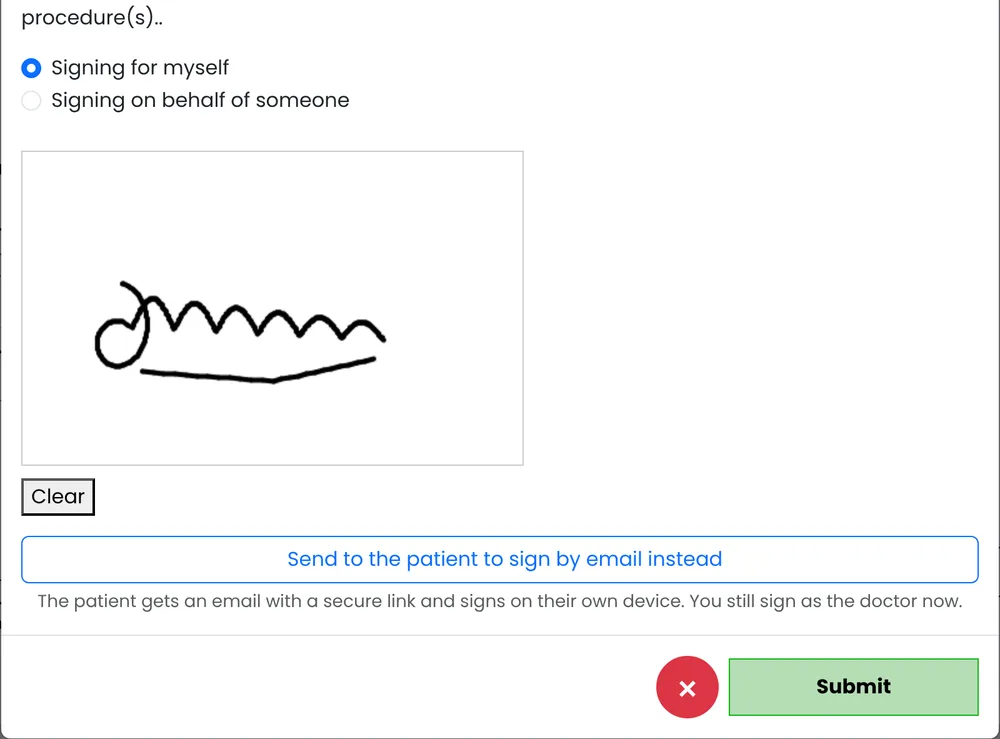
Consents can be printed for handwritten signatures, signed on screen, or sent to the patient by email to sign on their own phone, tablet or computer, whichever suits your workflow.
Access Procedure Libraries Across or Within Specialties
Browse a specialty-specific library or pull procedures from all specialties as needed. This flexibility supports multi-disciplinary teams and surgeons working across varied contexts.

Private, secure and ready when you are
Private by design
Patient details are used to make the consent, then discarded. Emailed PDFs are secure and protected with AES-256 encryption.
Remote signing by email
Your patient opens a secure link and signs on their own phone, tablet or computer, and can decline an additional consent if they wish. Unsigned links expire after 7 days.
Additional consents
Add consents that are not tied to a procedure, such as blood products and transfusion or clinical photography, and set your usual ones as defaults.
Procedure descriptions
Include a plain-language description of each procedure at the end of the consent: your own, or one shared by another surgeon.
Your consent report
See how many consents you have made for each procedure, for audit and CPD (SCC Plus). No patient details are included.
Your recent procedures
Your recent procedures are one click away, so a routine consent takes moments. With SCC Plus, save whole consent sets too.
Patient details from a label
Photograph the patient's label, or capture their record on screen, and the details are filled in for you to check. It all happens on your own device (SCC Plus).
Your letterhead
Your logo or letterhead on every consent. With SCC Plus, add your practice's and hospital's letterheads too, and show them at the top of your consent page.
Reviewed wording
Each consent shows when its benefits and risks were last reviewed. Your own changes are ready straight away; suggestions for the shared library are reviewed first.
A consent in three steps
Add the procedures
Type the side and site, then search for the procedure. Add as many as the operation needs.
Review the consent
Check the benefits and risks with your patient, adjust them if needed, and add any additional consents or descriptions.
Sign and share
The patient signs on screen, on paper or remotely. The PDF downloads for you and can be emailed to you and your patient.
How surgeons describe their procedures
Surgeons using Surgery Consent Companion share plain-language descriptions of the procedures they perform. Browse them by specialty.
Frequently asked questions
Surgery Consent Companion is FREE to register and free to use.
Create your account with your specialty and make your first consent today.